Description: The Ooma Enterprise Desktop App is a robust solution for businesses that offers a wide range of communication and collaboration features, which can effectively keep the workforce connected and enhance productivity.
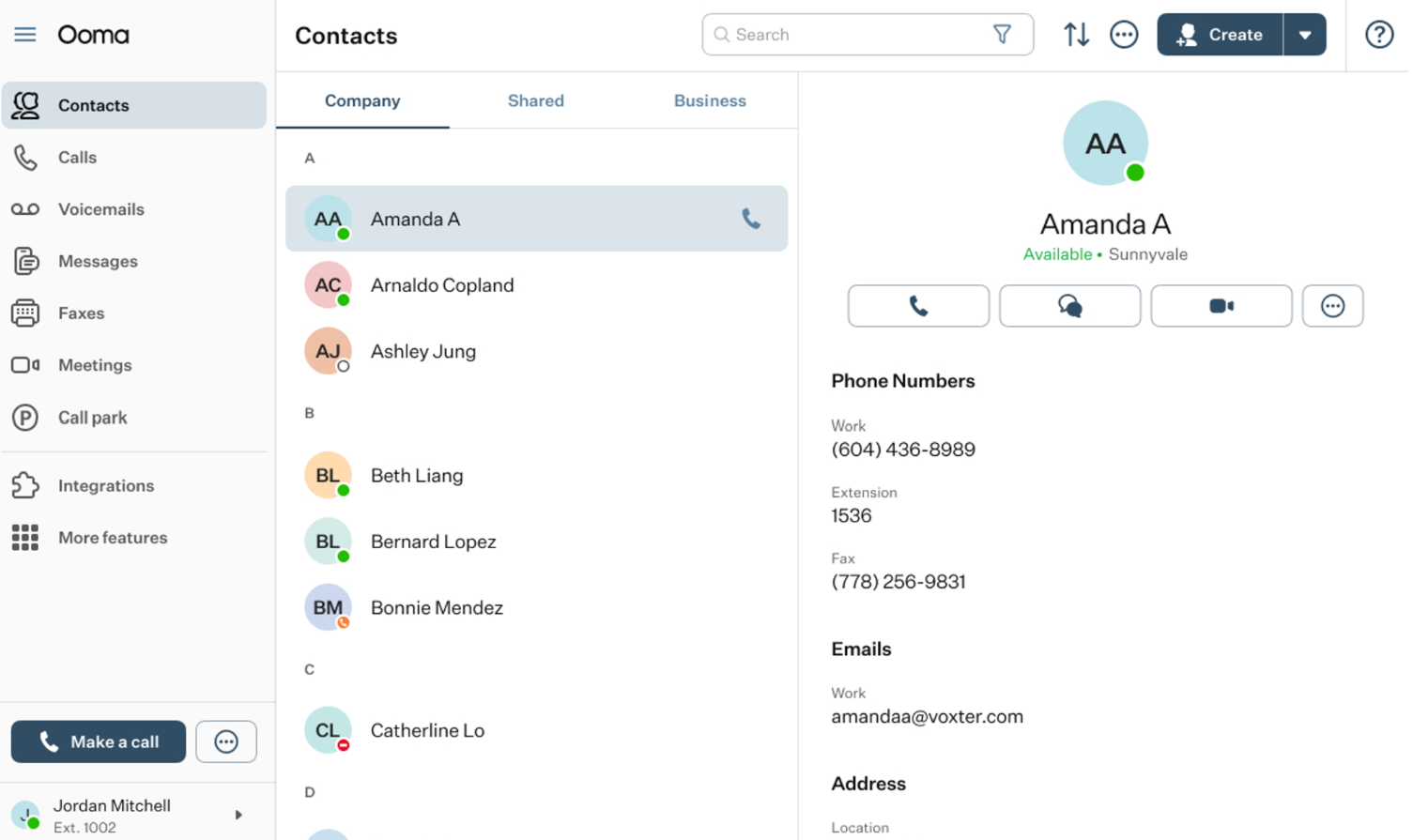
The OE Desktop App is a software tool created by Ooma, a provider of business communication solutions, with the aim of improving the efficiency and effectiveness of business communication through a unified platform for users.
The primary objective of the OE Desktop App is to provide businesses with a comprehensive tool for communicating and collaborating across various channels, including voice, video, messaging, and presence. With this app, users can effectively handle their communication channels and collaborate with their colleagues in real-time, simplifying the process of staying connected and productive.
Some of the main features of the OE Desktop App include:
Unified Communications: the app provides a unified communication platform that integrates voice, video, messaging, and presence.
Instant Messaging: the app allows users to send and receive instant messages, making it easier to communicate with colleagues in real-time.
Voice and Video Calls: the app allows users to make and receive voice and video calls from their desktop.
Call Management: the app allows users to manage their calls, including call forwarding, call transfer, and call recording.
Presence: the app allows users to see the availability of their colleagues in real-time, making it easier to schedule meetings and collaborate.
File Sharing: the app allows users to share files with colleagues, making it easier to collaborate on projects.
Application Interface Overview
The OE Desktop App consists of three main interface elements:
- Left-Hand Menu: the primary function of this menu bar is to provide users with access to a list of the main Features of the OE Desktop App.
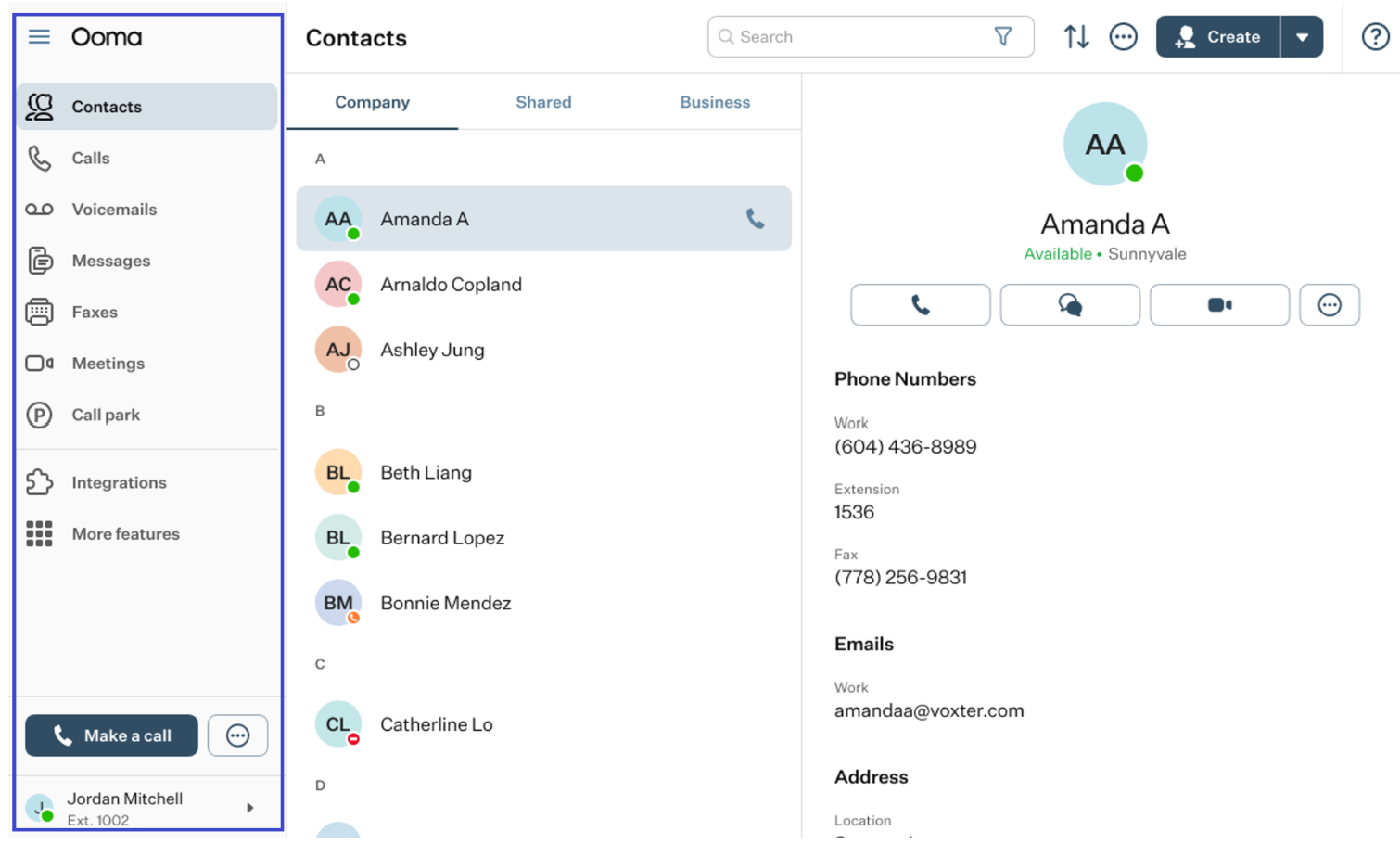
All the essential information about the Features of the OE Desktop App can be found in these articles:
Below the list of Features and the Make a Call section, you will find the Profile section of the OE Desktop App.
There, you can find the Settings section of the OE Desktop app.
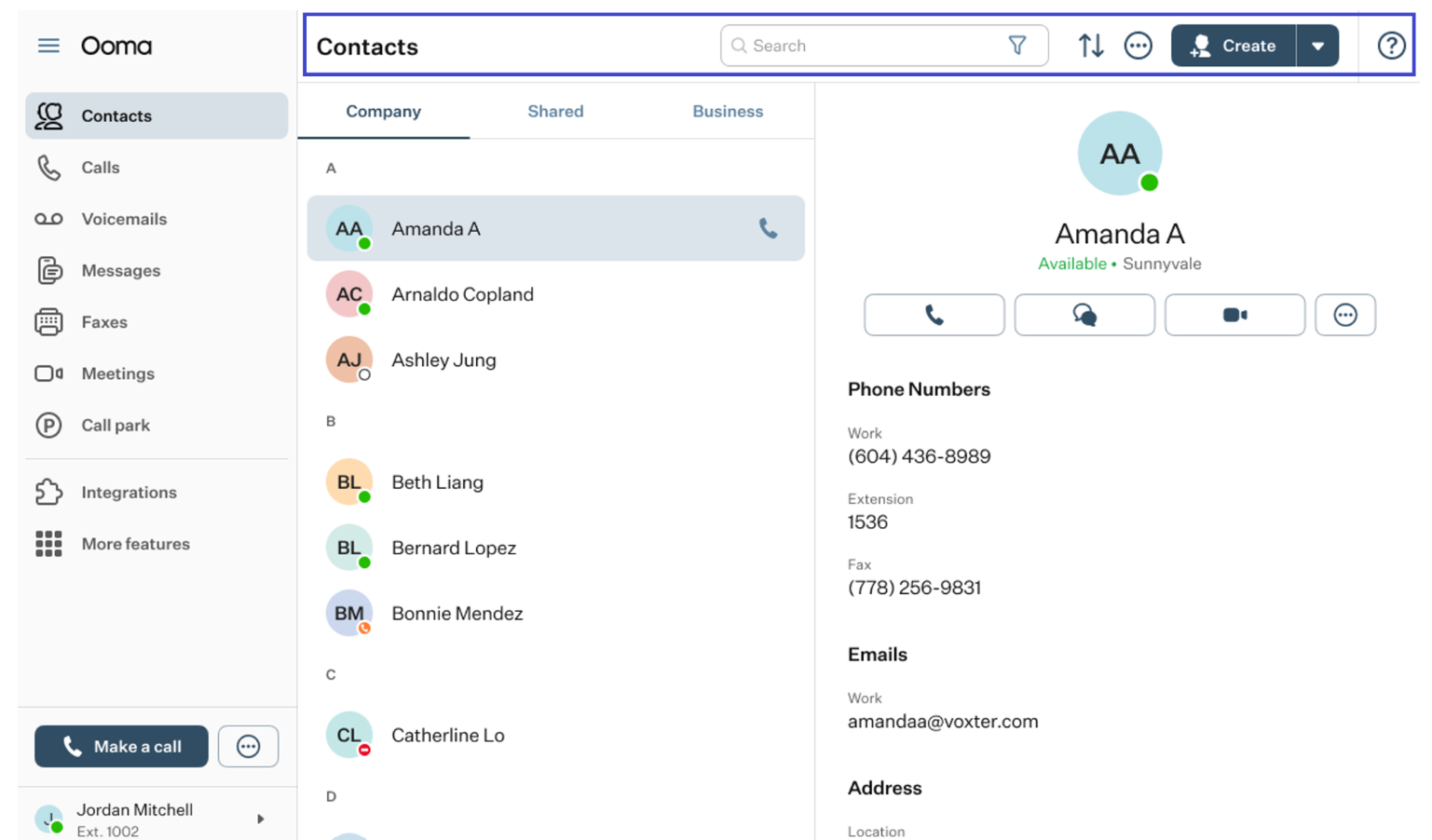
- The Top Horizontal Menu Bar: the main purpose of this interface element is to provide access to action elements such as the search field or action buttons, depending on the selected Feature in the left-hand menu.
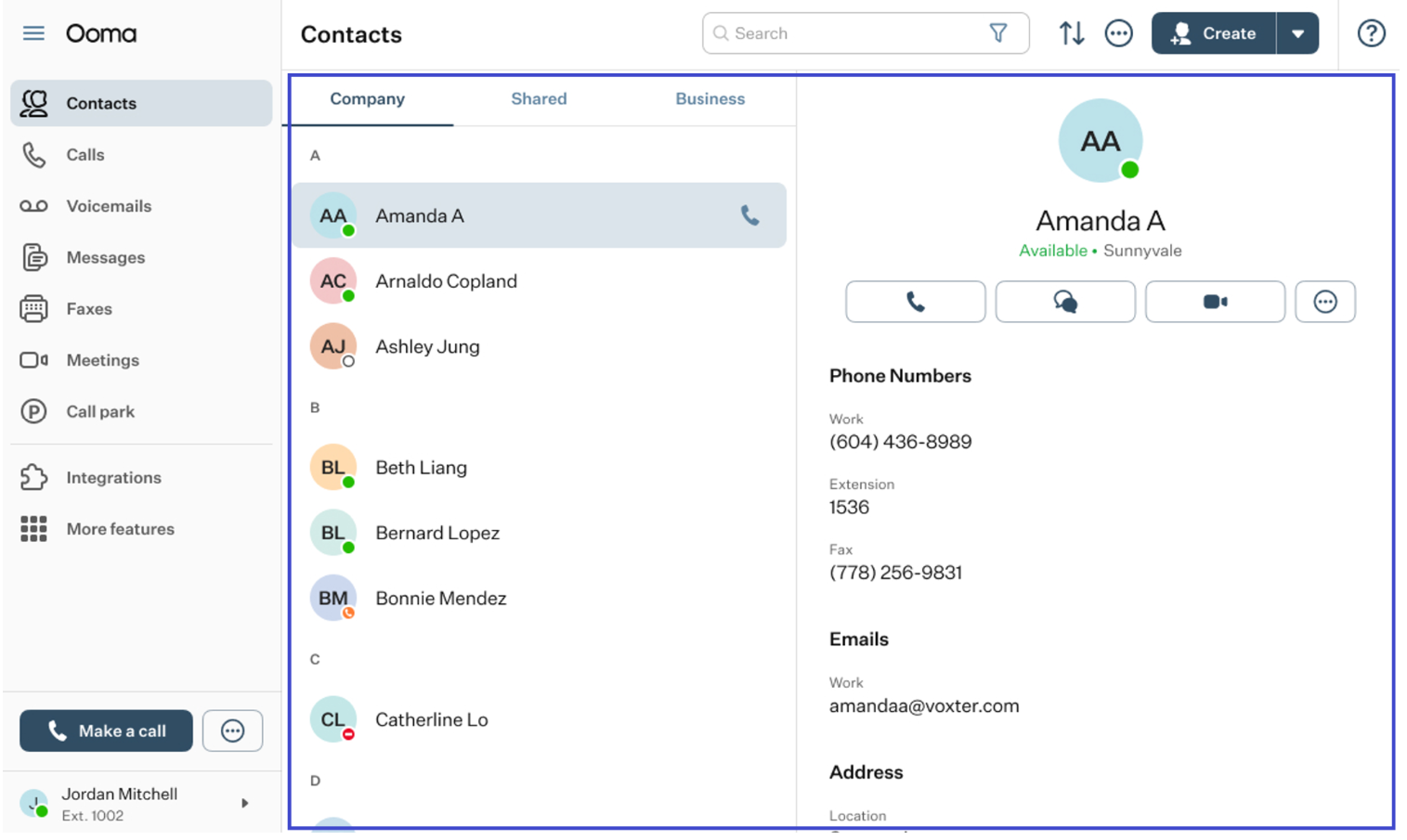
- Main Space of the App: the Main Space is the core interactive element of the OE Desktop App, where users engage with various features and perform actions. By default, the Contacts feature is usually accessible through the Main Space of the app.
Was this article helpful?
That’s Great!
Thank you for your feedback
Sorry! We couldn't be helpful
Thank you for your feedback
Feedback sent
We appreciate your effort and will try to fix the article