Description: The Dashboard is a user interface that displays important information and provides access to various features and functions of the phone system.
Upon opening the Phone System App, the Dashboard will be displayed in the Main Space of the App by default. 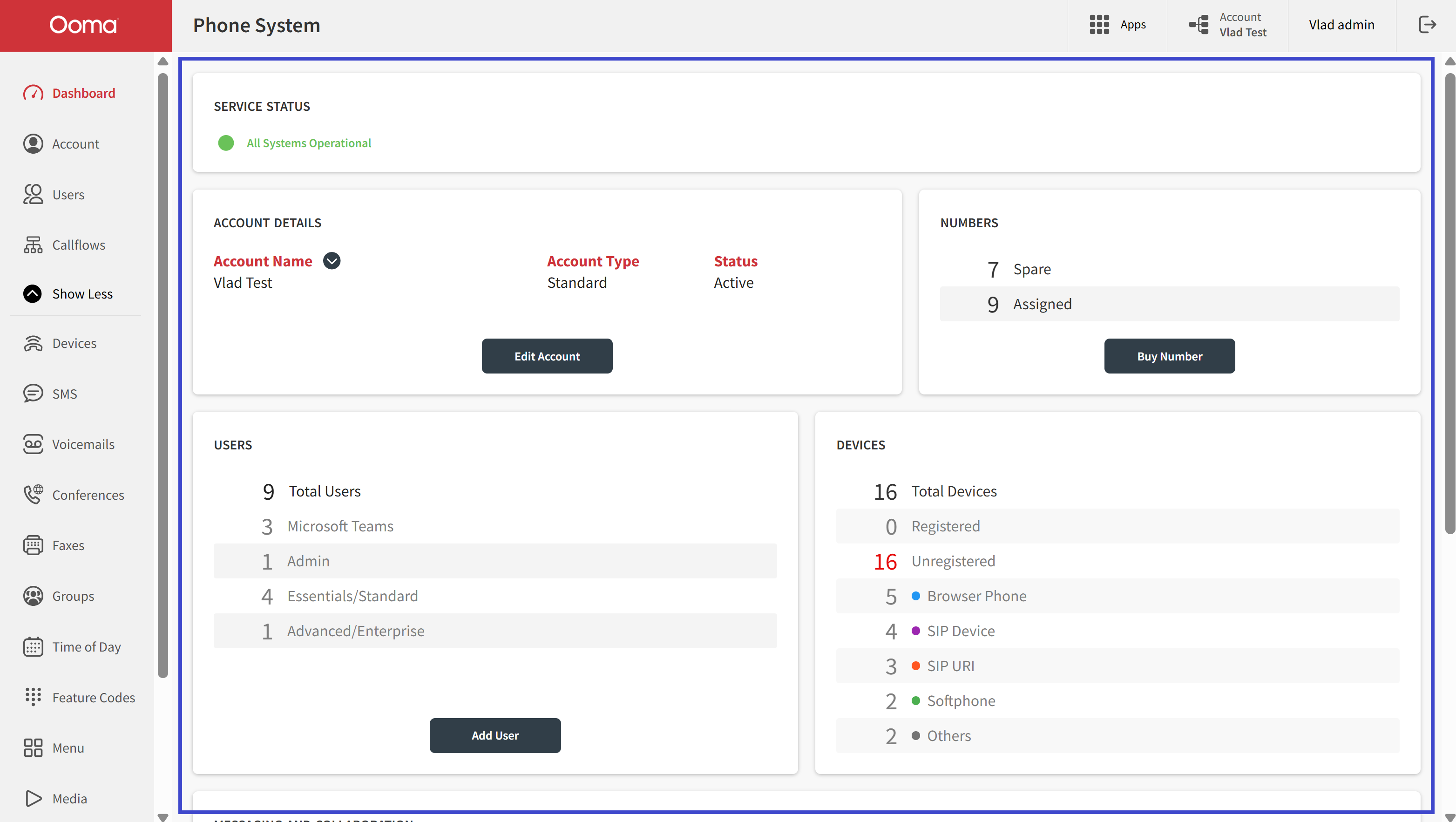
The Dashboard's user interface comprises Cards (or tiles) that showcase information in an attractive format. These Cards are arranged in a grid and their sizes are automatically adjusted to fit the browser's zoom scale and window size.
The Dashboard features eight Cards with distinct functions.
- SERVICE STATUS: is an info Card that displays whether all systems are operational or not.

- ACCOUNT DETAILS: is an info Card that displays fundamental information about the account you're currently logged into.
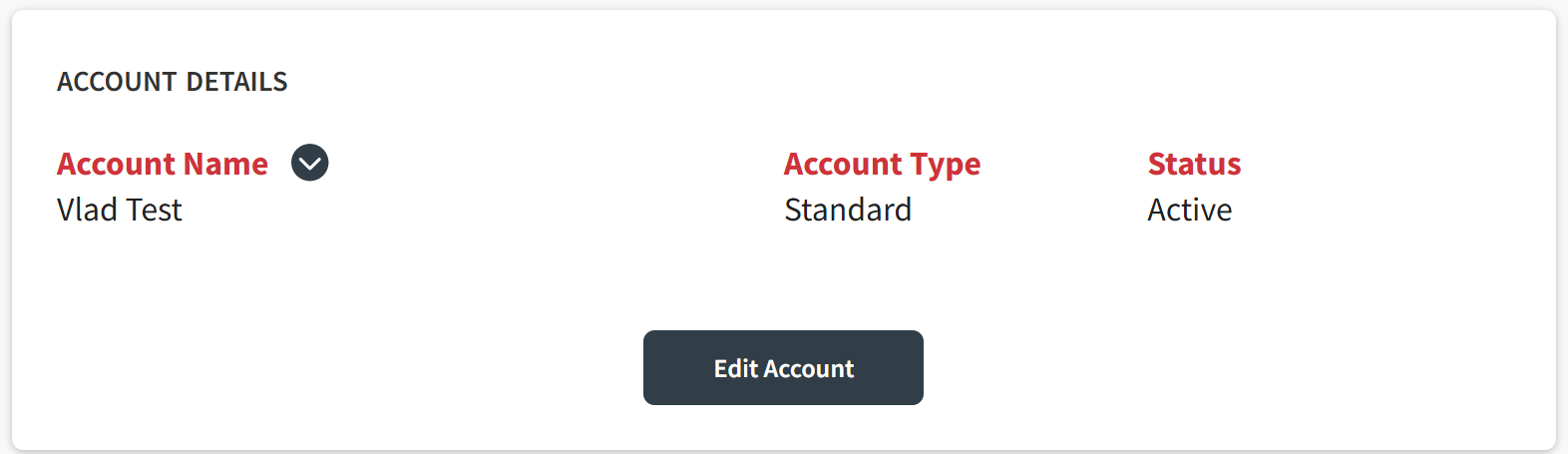
Clicking the "Edit Account" button will take you to the app's Account Section.
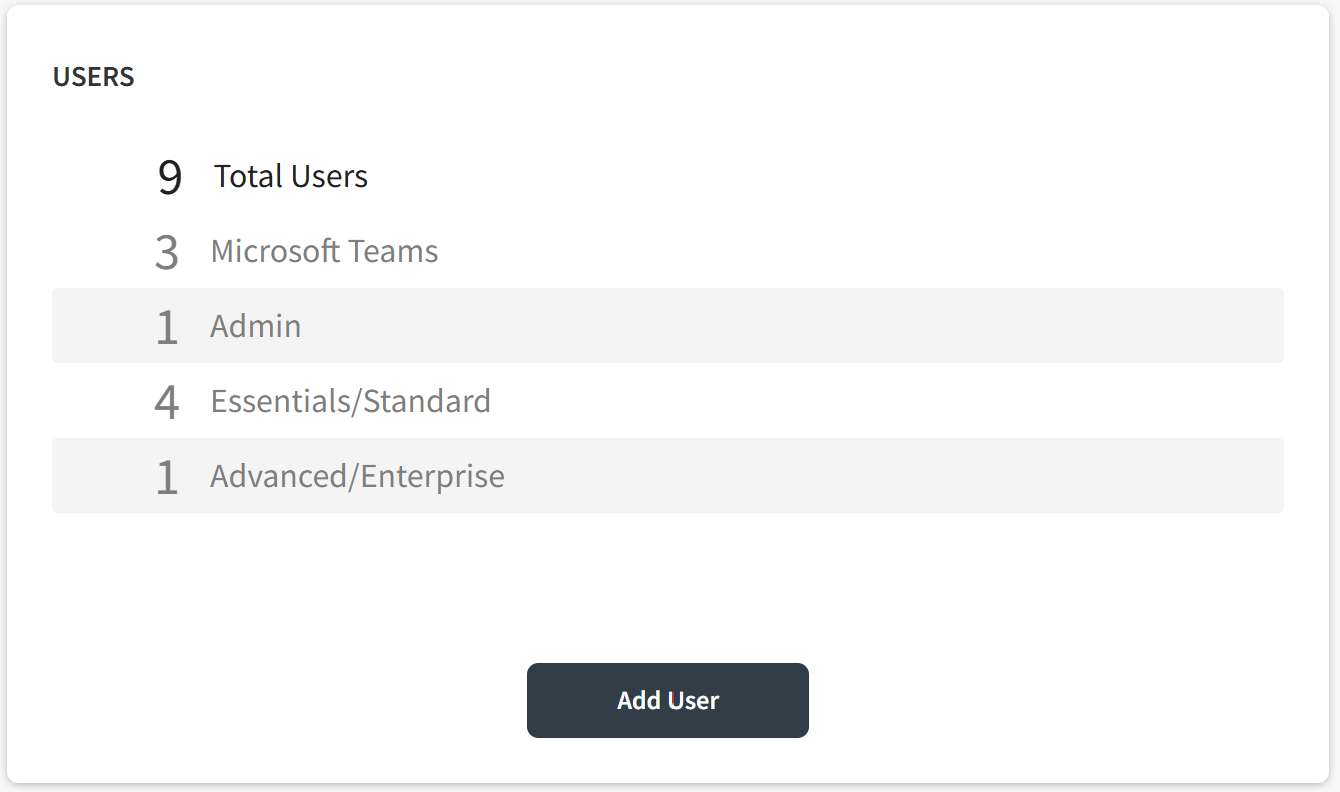
- USERS: the information displayed on this Card exhibits the total number of Users managed by your account and their User Types. By clicking the "Add User" button, you'll be directed to the app’s Users Section .
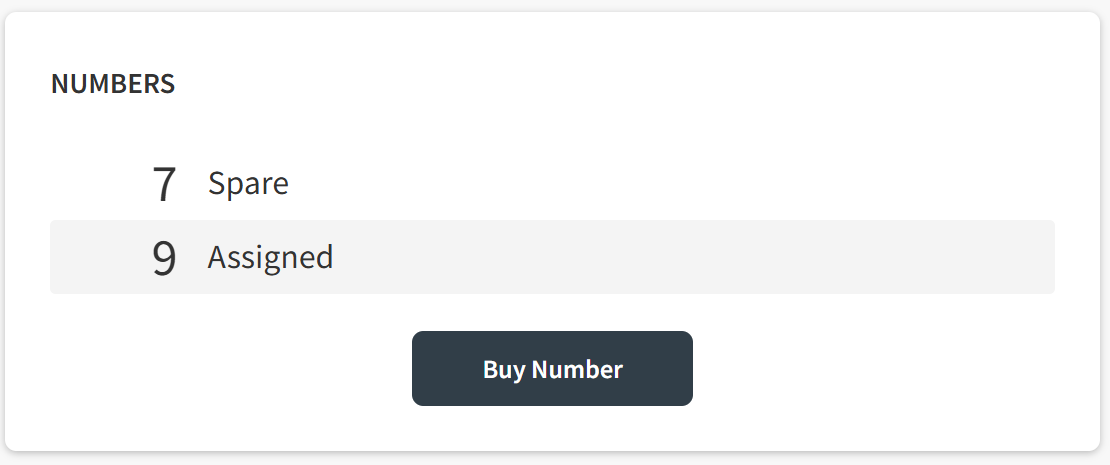
- NUMBERS: this info Card shows the quantities of phone numbers that have been purchased and assigned. To acquire more phone numbers for diverse uses, click the "Buy Number" button and you'll be directed to the Numbers App.
- DEVICES: this Card is intended to show a list of Devices assigned to your account and their Device Types.
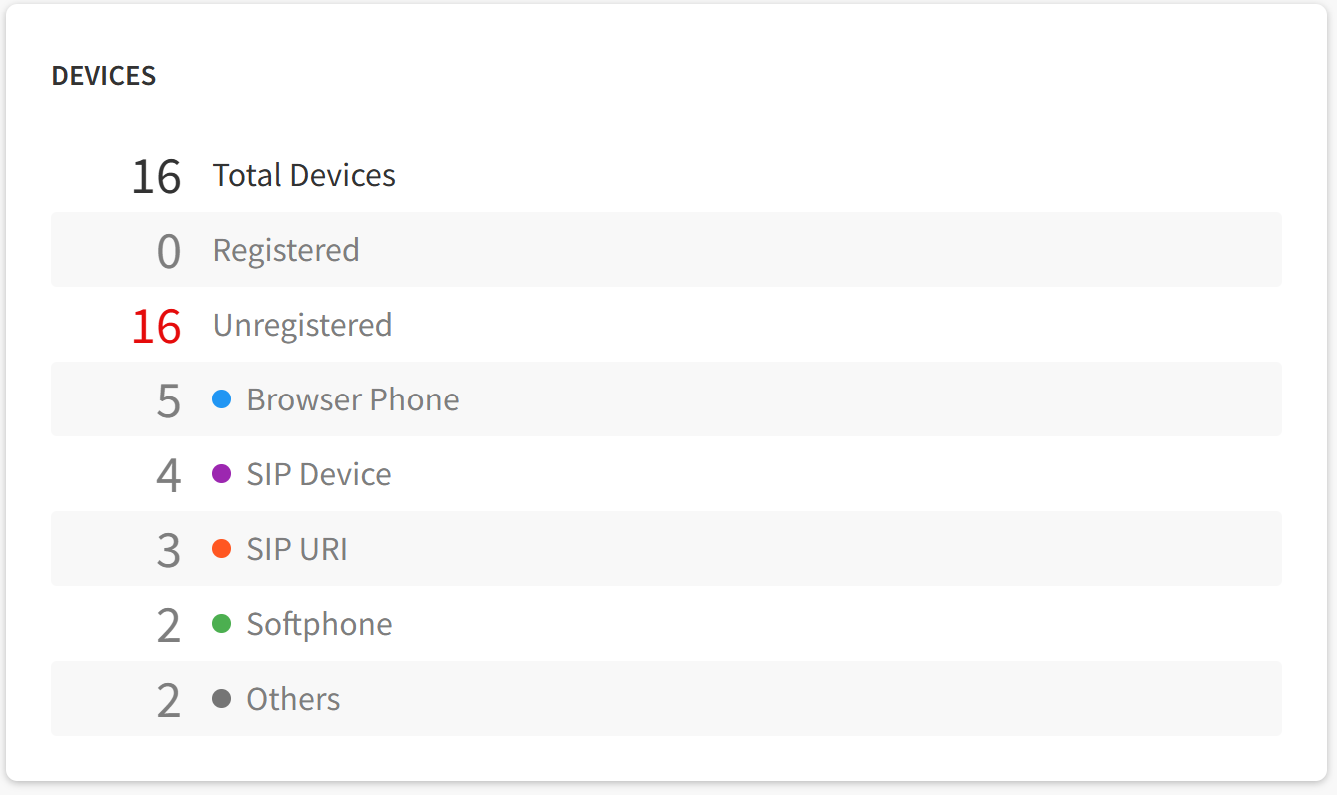
- MESSAGING AND COLLABORATION: this Card shows the number of Voicemail, SMS/MMS, and Fax boxes assigned to your account.

- REPORTING: this Card is intended to exhibit information and include a redirection button to the Call History App, which is presently in development. This is why you're not seeing any information displayed at the moment.
- KNOWLEDGE BASE: this Card features a direct hyperlink to the Knowledge Base section of the Ooma Enterprise Support website.

Additionally, you can find the "Submit a Ticket" button here, which, when clicked, will take you to the Submit a Ticket section of the Ooma Enterprise Support website.

Was this article helpful?
That’s Great!
Thank you for your feedback
Sorry! We couldn't be helpful
Thank you for your feedback
Feedback sent
We appreciate your effort and will try to fix the article